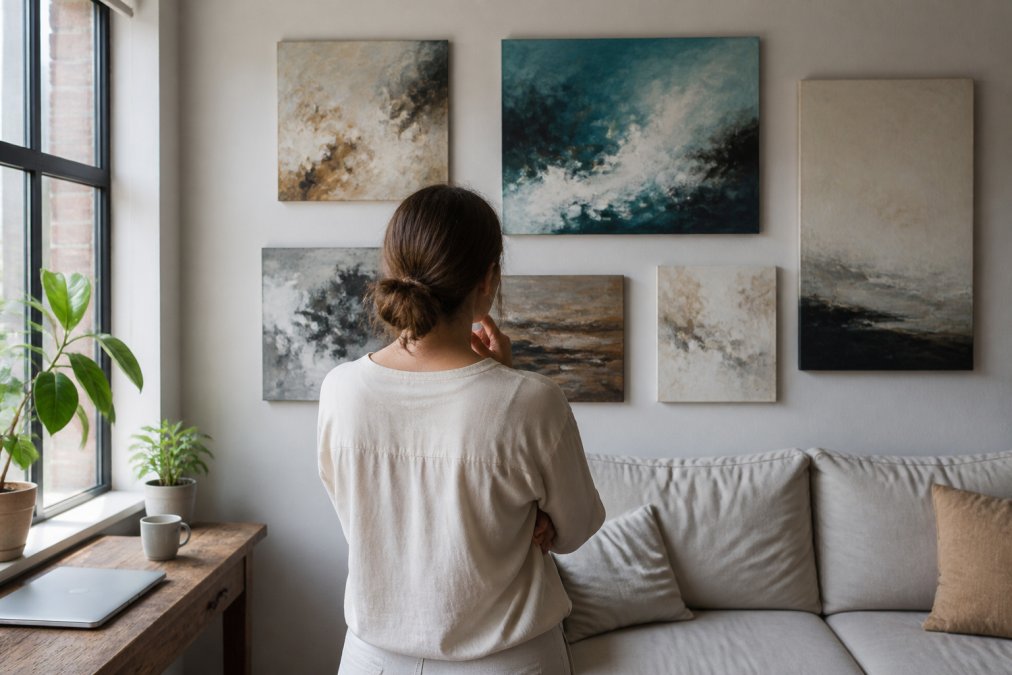
 how-to
How to Visualize Art in Your Space: A Step-by-Step Guide
Table of Contents
- Why Visualizing Art Before Purchase Matters
- How to Measure Wall Space for Art
- Step-by-Step Guide to Digital Visualization
- Best Wall Art Visualizer Apps for Your Mobile Device
- Tips for Hanging Art in a Living Room
- Common Mistakes to Avoid When Visualizing Art
- Ensuring Printing and Physical Scale Accuracy
- Frequently Asked Questions
Last Updated: August 7, 2026
Why Visualizing Art Before Purchase Matters
The biggest mistake art buyers make is purchasing online without understanding how a piece will look in their specific space. A beautiful gallery listing can disappoint when it arrives, too large for the wall, colors washed out by lighting, or energy mismatched to the room's aesthetic. This guide from Susan Fielder Art explains how to visualize art in your space before committing to a purchase, saving you from disappointment and ensuring every piece transforms your environment as intended.
When you visualize art in your space, you solve a fundamental problem: the gap between how art looks in a photograph and how it appears on your actual wall. Lighting conditions, wall color, surrounding furniture, and spatial proportions all affect visual impact. A piece that photographs beautifully under gallery lighting might feel diminished in a north-facing room with cool tones.
Whether you're a renter hesitant to commit to permanent changes or a homeowner curating your collection, learning to visualize art in your space gives you confidence in purchasing decisions.
How to Measure Wall Space for Art
Accurate measurements are the foundation of successful art placement. Before visualizing art, you need precise dimensions of your wall, including height, width, and the distance from floor to where you want to hang the piece.
Start by measuring the wall from corner to corner, both horizontally and vertically, using a steel measuring tape. Write down these dimensions. Next, identify the specific wall area for your artwork. Measure from the floor to the midpoint where you want the piece to sit. For most living rooms, artwork hangs with its center 57 to 60 inches from the floor, at average eye level when standing.
Note the dimensions of any furniture below the artwork. If you're hanging a painting above a sofa, measure the sofa's width and height. Document the wall color, texture, and natural light sources, windows, skylights, or glass doors. Understanding your room's lighting environment is essential for realistic visualization.
| Measurement Type | Why It Matters | How to Capture |
|---|---|---|
| Wall height and width | Determines available space for artwork | Measure corner to corner with steel tape |
| Eye level height | Guides vertical placement for optimal viewing | Standard is 57-60 inches from floor |
| Furniture dimensions | Establishes proportion and spacing | Measure width and height of pieces below art |
| Wall color and texture | Affects how colors and details appear | Note the finish, tone, and any patterns |
| Natural light direction | Reveals how lighting will hit the artwork | Observe where sunlight enters the room |
Step-by-Step Guide to Digital Visualization
Once you have your measurements, digital visualization tools let you test different artworks in your actual space before purchasing.
Step 1: Take a Clear Reference Photo of Your Room
Photograph your wall in natural lighting during the time of day when you spend most time in that room. The reference photo should show the entire wall where you're considering hanging art, including furniture, architectural features, and visible wall color.
Position yourself 8 to 10 feet back and keep the camera level. Avoid wide-angle modes, which distort spatial relationships. Take multiple photos at different times of day to understand how lighting changes affect the wall's appearance.
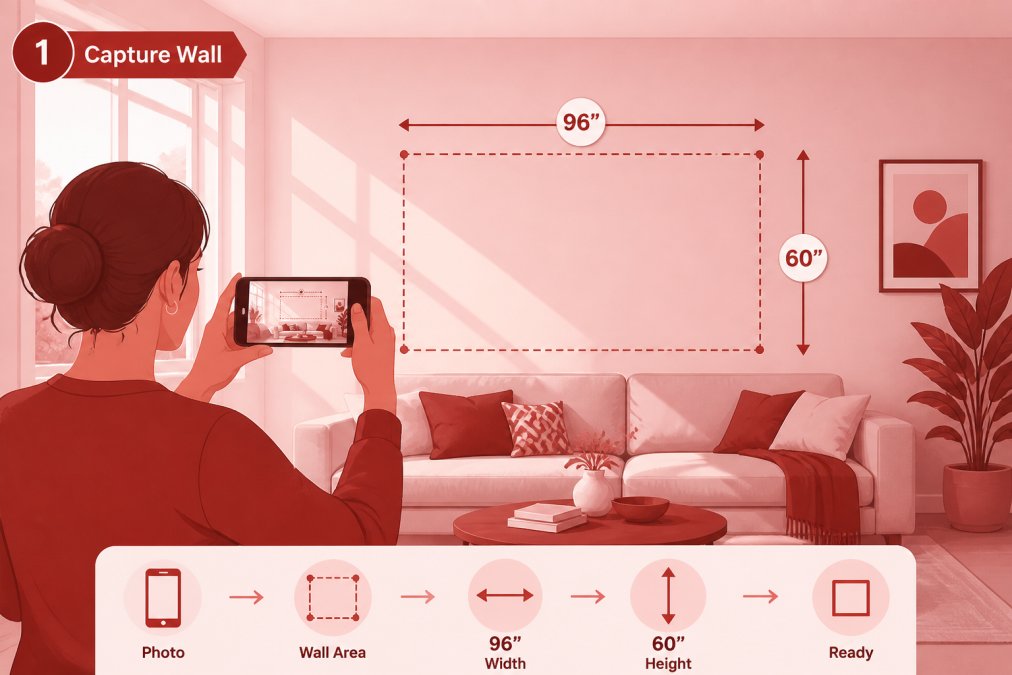
Step 2: Upload and Adjust Scale and Dimensions
Most visualization tools allow you to upload your reference photo and overlay digital artwork on top of it. The key is ensuring the artwork's digital representation matches the actual scale you're considering. If you're thinking about hanging a 24-by-36-inch painting, the tool needs to know that dimension so the overlay shows the piece at true size.
Enter the dimensions of the artwork you're interested in. Susan Fielder Art's abstract pieces come in various sizes, and knowing exact dimensions is critical for accurate visualization. Position the digital artwork on your reference photo at the location where you plan to hang it. Adjust the vertical position so the artwork's center aligns with your eye-level height (around 57-60 inches from the floor).
Step 3: Position and Test Different Placements
Test multiple positions and configurations. Try hanging the piece in the center of the wall, then off to one side. Test it above a sofa, above a console table, or on an accent wall. Each position creates a different visual impact.
Pay attention to how the artwork interacts with your room's proportions. A large piece on a small wall can feel overwhelming. A small piece on a large wall might disappear. The visualization reveals these relationships in real time, allowing you to adjust before committing to hanging.
Step 4: Evaluate Lighting and Shadow Matching
Look at how light falls on the artwork in your reference photo. Does the lighting in your room match the lighting in the artwork's product photo? If your room has warm afternoon light from the west, but the artwork was photographed under cool gallery lighting, the piece will look different on your wall.
Examine the shadows and highlights in your reference photo. If there's a window creating bright light on one side of the wall, consider how that light will interact with the artwork's colors and contrast. By matching the lighting in your visualization to your actual room's conditions, you get a much more honest preview.
Best Wall Art Visualizer Apps for Your Mobile Device
Several applications help you visualize art in your space, ranging from simple free tools to more sophisticated options with advanced features.
Free Options for Quick Previews
Free visualization apps work well if you want to test a concept quickly without investing in premium software. These tools typically let you upload a photo of your room and overlay artwork images, though they may have limitations on resolution, features, or the number of artworks you can test. They're useful for getting a rough sense of whether a piece might work in your space.
Premium Tools for Detailed Mockups
Premium visualization software offers more control over scale, lighting, perspective correction, and spatial accuracy. These tools include features like LiDAR technology (on newer smartphones) to automatically detect room dimensions, one-tap visualization for quick previews, and advanced calibration options. If you're making a significant investment in a piece from Susan Fielder Art, the extra precision of a premium tool is worth considering.
Some premium apps integrate with art retailers' catalogs, letting you browse and visualize pieces directly from the app.
Desktop Software vs. Mobile Apps
Desktop software offers the most powerful visualization capabilities, with professional-grade tools used by interior designers and architects. However, desktop software typically has a steeper learning curve.
Mobile apps prioritize convenience and speed. You can visualize art anywhere in your room and test multiple placements quickly. For most homeowners visualizing art in your space, a mobile app strikes the right balance between accuracy and accessibility.
Tips for Hanging Art in a Living Room
Once you've visualized your artwork and confirmed it works in your space, the actual hanging requires attention to proportion, placement, and visual balance.
Spatial Awareness and Wall Space Optimization
A common mistake is treating wall space as unlimited. Your living room has specific proportions and architectural features that determine how much visual weight a piece can carry. Large artwork on a small wall creates visual imbalance.
Consider the room's overall layout. If your living room is long and narrow, a large horizontal piece might emphasize that narrowness. A vertical piece could counterbalance it. Furniture placement affects how artwork should be positioned. A painting above a sofa should relate proportionally to the sofa's width. As a general rule, artwork should be 50 to 100 percent of the furniture's width. If your sofa is 84 inches wide, a piece between 42 and 84 inches works well.
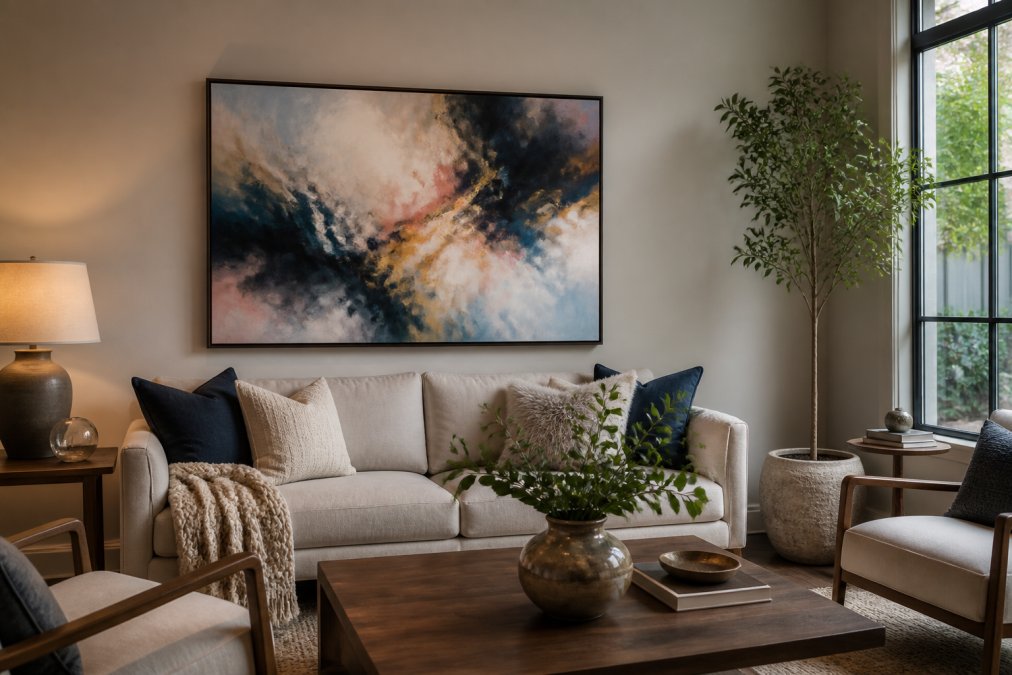
Perspective Correction and Frame Simulation
Artwork hung too high feels distant and disconnected. Hung too low, it intrudes into your personal space. The standard eye-level placement of 57 to 60 inches from the floor to the artwork's center creates a natural, comfortable viewing experience.
Context matters. In a room with high ceilings, you might position artwork slightly higher. In a room with low ceilings, lower placement prevents the piece from feeling cramped. The frame itself influences perception. A heavy ornate frame makes a piece feel more formal and grounded. A minimal frame creates a lighter, more contemporary feeling.
Considering Ambient Lighting and Wall Color
Ambient lighting fundamentally affects how artwork appears. Warm-toned light brings out warm colors in artwork and can make cool tones feel muddy. Cool-toned light makes cool colors pop and can wash out warm tones.
Wall color creates a backdrop that either complements or competes with artwork. A vibrant abstract piece on a neutral wall stands out. The same piece on a colorful wall might feel chaotic. Lighter walls recede visually, making artwork feel more prominent. Darker walls create intimacy and can make artwork feel more dramatic.
Common Mistakes to Avoid When Visualizing Art
Understanding what goes wrong helps you avoid costly errors. The most common mistake is visualizing art under unrealistic conditions. Always visualize under the lighting conditions you actually experience in that room.
Another frequent error is ignoring scale. A piece that looks perfect in a thumbnail might be wildly different in person. Ensure your visualization tool accounts for actual artwork dimensions. Many people also fail to account for wall texture and finish, which affects how artwork appears.
Avoid the mistake of visualizing in isolation. Consider how the artwork relates to everything else in the room, furniture, other decorative elements, architectural features. Art is part of a larger visual composition.
Ensuring Printing and Physical Scale Accuracy
When you order artwork, especially from galleries like Susan Fielder Art, the physical piece needs to match your expectations. Printing quality, color accuracy, and material choices all affect the final result.
Request information about the printing process and materials used. High-quality art is typically printed on archival-grade paper or canvas using professional printing equipment. Ask the gallery about their color management process. Material choices affect durability and appearance. Canvas has a different visual quality than paper. Matte finishes look different than glossy finishes.
Visualizing art in your space transforms the online art-buying experience from guesswork into informed decision-making. By measuring your wall accurately, using visualization tools effectively, and understanding how lighting and spatial relationships affect artwork, you eliminate the uncertainty that leads to buyer's remorse. Susan Fielder Art's collection of emotionally charged abstract paintings deserves this careful consideration. When you visualize a piece in your space and confirm it works perfectly, you're investing in a transformation that will resonate every time you enter that room. Shop now and discover how the right piece, properly visualized, elevates your entire environment.
Frequently Asked Questions
Is there an app to see how art looks on my wall?
Yes, several apps let you visualize art in your space using augmented reality and digital mockups. Free options like basic photo editors and room design apps work for simple previews, while specialized wall art visualizer apps offer more advanced features like real-time rendering and perspective correction. Many allow you to upload a photo of your room and overlay artwork to test different placements before purchasing.
How can I visualize art in my room for free?
The simplest free method is taking a clear reference photo of your wall, then using basic photo editing software or free mobile apps to overlay and resize artwork images. Many retailers provide digital visualization tools at no cost. You can also print artwork at actual size, tape it to your wall temporarily, and assess the visual impact in person, this helps with scale and proportion accuracy without any technology.
How do I know if a piece of art will fit my wall space?
Measure your wall dimensions in inches (height and width), then compare them to the artwork's aspect ratio and frame size. Most art listings include exact dimensions. Use digital visualization tools to overlay the piece on a reference photo of your room, adjusting scale to match reality. This reveals whether the artwork will overwhelm the space, feel too small, or achieve the wall space optimization you're aiming for.
What's the best way to preview wall art before purchasing?
Combine multiple methods for confidence: take a clear reference photo of your room with good ambient lighting, use a digital design tool or wall art visualizer app to create a mockup, and consider the piece's aspect ratio against your wall dimensions. If possible, print a sample at actual size and temporarily hang it to evaluate how it interacts with your room's lighting and decor. This multi-step approach ensures visual fidelity and helps you avoid disappointment.